
The Ultimate Guide to Finding Your Perfect Work Backpack
Securing a reliable work backpack fundamentally shifts how daily commutes and remote office transitions feel. Gone are the days when a cumbersome, hard-sided briefcase was the only acceptable accessory for a professional. Today, your daily carry needs to be an extension of your mobile office, seamlessly bridging the gap between crowded morning trains, sudden downpours, and sharp boardroom presentations. A proper bag doesn’t just hold your gear; it protects expensive electronics, saves your posture from unnecessary strain, and keeps your everyday essentials organized so you never have to blindly dig for a charger again.
Listen, adapting to hybrid schedules means we carry more tech than ever before. You might be hauling a laptop, a tablet, noise-canceling headphones, a physical notebook, and perhaps even gym clothes for an after-hours session. Trying to shove all of that into a flimsy canvas sack is a recipe for broken screens and a sore lower back. Investing in a structured, purpose-built pack elevates your daily routine, providing peace of mind and undeniable comfort as you navigate busy city streets.
Read also: Guide to Finding the Best Dishwasher Tablets; Understanding a Local Gun Buy Back Today.
Understanding the Core Anatomy of a Daily Commuter Bag
When you start analyzing the hardware and design of modern carry solutions, the difference between an entry-level school bag and a professional piece of gear becomes immediately obvious. A top-tier pack balances aesthetics with aggressive functionality. It has to look sharp enough to sit next to a conference table while being rugged enough to survive being tossed into the trunk of a rideshare. Brands continually update their range of work backpacks to meet these evolving office standards, integrating smarter pocket layouts and superior materials.
High-end gear puts in serious effort on both the style and functionality fronts. A well-designed interior prevents your items from shifting, which keeps the center of gravity stable against your back. Let’s break down the core components you need to look for.
| Core Feature | Commuter Benefit | Real-World Application |
|---|---|---|
| Suspended Laptop Sleeve | Prevents tech from hitting the ground | Dropping the bag on a hard concrete subway platform without shattering the laptop chassis. |
| Weather-Resistant Shell | Blocks moisture and sudden rain | Walking the last five blocks to the office during an unexpected spring downpour. |
| Luggage Pass-Through | Secures bag to rolling suitcases | Sprinting through an airport terminal for a business trip without the bag falling off. |
To maximize utility, you need to pack efficiently. The way you load your bag drastically affects how heavy it feels. Follow these specific packing principles:
- Position heavy items low and close to your spine: Keep your laptop and thickest textbooks flat against the back panel. This reduces backward torque on your shoulders.
- Utilize vertical space for pouches: Instead of letting cables tangle at the bottom, use dedicated tech pouches and stack them vertically.
- Keep quick-access items at the top: Sunglasses, keys, and transit passes belong in the top external pockets so you never have to open the main compartment in public.
The Origins of the Briefcase Era
To appreciate modern carry gear, we have to look back at how office workers historically transported their documents. In the mid-20th century, the hard-sided briefcase was the absolute standard of professionalism. It was designed primarily for paper. Documents needed to remain crisp, uncreased, and secure. However, these cases were heavy, unbalanced, and required one hand to be constantly occupied, making urban navigation highly inefficient.
Evolution into Commuter Gear
As the digital revolution took hold in the late 90s and early 2000s, the things professionals carried shifted from paper to hardware. Early laptops were bulky and fragile. The messenger bag, originally popularized by bicycle couriers, became the default tech carry. It allowed for quick access and cross-body weight distribution. Yet, as laptops became standard issue for nearly every employee, the asymmetrical weight of a messenger bag caused chronic shoulder fatigue for daily train and bus riders.
The Modern State of Professional Carry
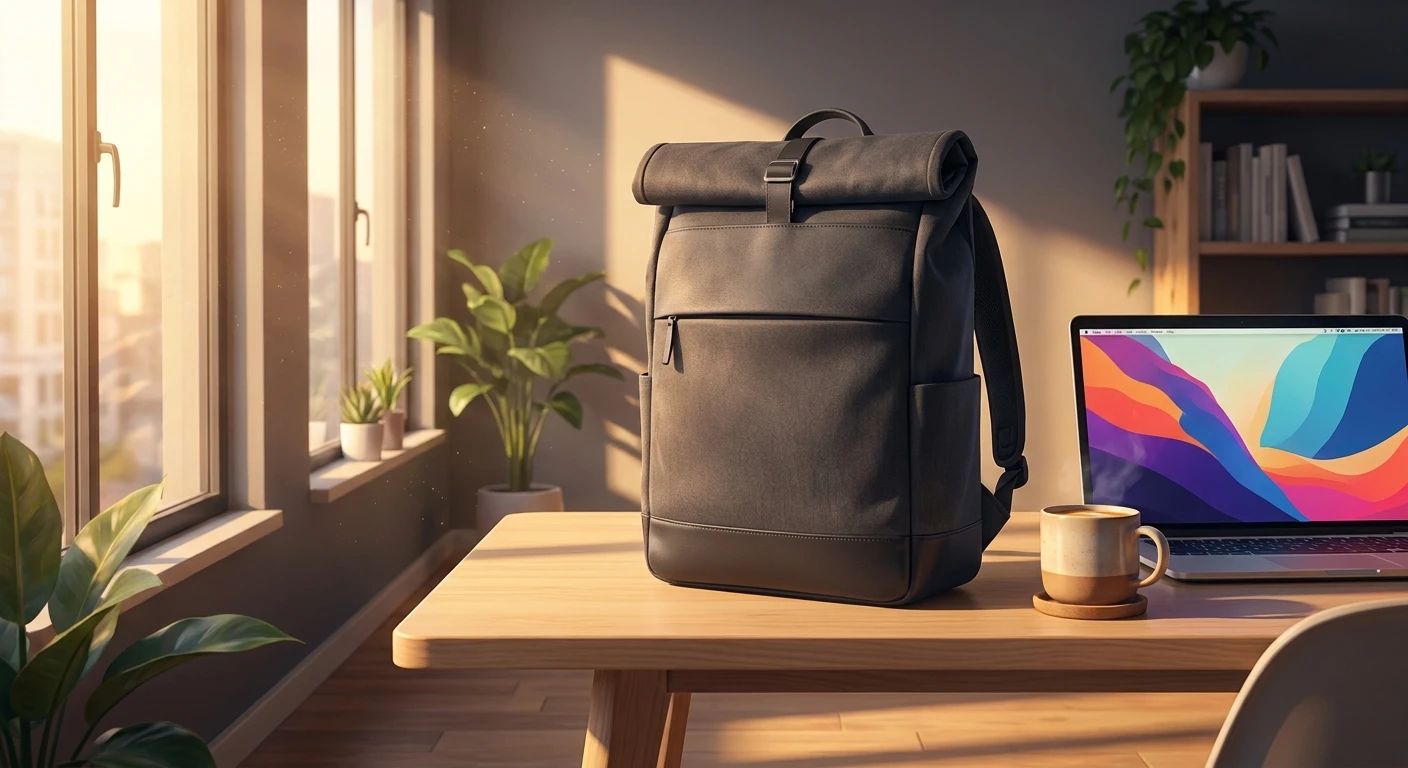
Today, the stigma of wearing a backpack with professional attire has completely evaporated. Commuters need practical work bags combining style and function. We’ve entered an era where technical materials meet minimalist tailoring. You can now walk into a law firm or a tech startup wearing a sleek, matte-black rucksack without turning heads. Maintaining a look that remains professional and stylish is entirely achievable thanks to advances in fabric manufacturing and structural design.
Ergonomics and Load Distribution
The biomechanics of carrying weight on your back dictate that symmetry is king. When you carry an asymmetrical bag, your spine naturally compensates, leading to muscular imbalances and tension headaches. A dual-strap system distributes the load evenly across the trapezius muscles. High-quality straps utilize EVA (Ethylene-Vinyl Acetate) foam, a dense, closed-cell material that resists compression over time, meaning the straps won’t flatten out after six months of heavy use. Some models even include a sternum strap, which pulls the shoulder straps inward, transferring weight off the shoulders and onto the stronger pectoral and rib structures.
Material Science of Weatherproofing
When searching for the best laptop backpacks, you will frequently encounter technical jargon regarding fabrics. Modern bags rely heavily on synthetic polymers like Nylon and Polyester, measured in Denier (D). A higher denier indicates a thicker, heavier yarn. For example, 1000D Cordura nylon offers exceptional abrasion resistance. To combat water, manufacturers apply a DWR (Durable Water Repellent) coating or back the fabric with a layer of TPU (Thermoplastic Polyurethane), which essentially creates an impenetrable barrier against moisture.
- Load limits: Health professionals generally recommend carrying no more than 10% to 15% of your total body weight.
- Spinal alignment: A stiff back panel with articulated foam channels promotes airflow and maintains natural lumbar curvature.
- Zipper technology: YKK AquaGuard zippers feature a polyurethane coating over the teeth to repel water, keeping electronics dry in severe weather.
- Suspended bottoms: A “false bottom” means the laptop compartment stops an inch before the physical bottom of the bag, absorbing kinetic shock upon impact.
Step 1: Execute a Complete Gear Audit
Empty your current bag completely. Lay every single item out on a table. Group items into three categories: daily necessities, occasional “just-in-case” items, and outright junk. If you haven’t used an item in the last month, it does not belong in your daily commute.
Step 2: Establish Capacity Requirements
Based on your audit, determine the volume you actually need. Bags are measured in liters. A 15L to 20L bag is perfect for minimalists carrying just a computer and a notebook. If you pack a lunch, gym shoes, and a heavy jacket, you will need to look in the 24L to 30L range. Do not buy a larger bag than you need, as extra space simply invites unnecessary clutter.
Step 3: Validate Tech Compartment Safety
Measure your laptop diagonally and check the specific dimensions of the bag’s tech sleeve. You want features like padded laptop pockets with soft, non-scratch fleece linings. Crucially, verify that the sleeve has a false bottom so your computer doesn’t strike the floor when you set the bag down.
Step 4: Map the Pocket Organization
Evaluate the secondary compartments. You need a dedicated spot for your charger, a secure internal zip pocket for your passport or loose cash, and quick-access exterior pockets for items you grab on the move. A high-contrast interior lining (like bright orange or yellow) makes it infinitely easier to find small black cables in low light.
Step 5: Test the Harness System
Before committing, load the bag with heavy books to simulate your actual tech load. Adjust the shoulder straps so the bag sits high on your back, firmly against your shoulder blades. It should not sag below your waistline, as a low-hanging load drastically increases lower back strain.
Step 6: Assess Weather Readiness
Review your typical commute environment. If you drive to work and walk across a parking lot, basic nylon is fine. If you ride a bicycle through a rainy city, you must prioritize TPU-coated fabrics, welded seams, and coated zippers to ensure full weather resistance.
Step 7: Standardize Daily Loading Protocol
Create a habit of packing your bag the exact same way every evening. Assign specific pockets for specific items. When every tool has a home, you build muscle memory, allowing you to quickly retrieve your keys or headphones without looking, streamlining your entire travel process.
Separating Myth from Reality
Myth: Professional environments strictly forbid wearing backpacks.
Reality: Dress codes have evolved massively. A structured, minimalist design made of premium materials like waxed canvas or ballistic nylon is widely accepted in all but the most rigid, ultra-traditional corporate environments.
Myth: A “water-resistant” label guarantees your electronics are safe in a storm.
Reality: Water-resistant only means the fabric repels light drizzle for a short time. Unless a bag has welded seams and waterproof zippers, sustained heavy rain will eventually seep through the stitching.
Myth: Buying a bigger bag is a smart way to future-proof your carry.
Reality: Parkinson’s Law of bag volume dictates that you will expand your junk to fill the available space. Excess volume leads to overpacking, disorganization, and severe shoulder fatigue.
Frequently Asked Questions
What size should my commuter bag be?
For most professionals, the sweet spot is between 20 and 24 liters. This comfortably holds a laptop, chargers, a water bottle, a notebook, and a light jacket without looking like a bulky hiking pack.
How do I clean nylon exteriors?
Spot clean using a damp microfiber cloth and mild dish soap. Never put a structured tech bag into a washing machine, as the agitation will destroy the internal foam padding and warp the back panel.
Can this type of bag replace a carry-on suitcase?
While larger 30L+ models can work for minimalist weekend travel, a standard 20L daily commuter bag is better suited as your “personal item” that slides under the airplane seat alongside a rolling carry-on.
What is the ideal weight limit for daily commuting?
You should aim to keep your fully loaded bag under 15 pounds (about 6.8 kg). Anything heavier will cause noticeable fatigue if you are walking or standing on public transit for more than 30 minutes.
Are trolley sleeves genuinely necessary?
If you travel for business more than twice a year, yes. A trolley sleeve allows you to slide the bag over the handle of your rolling luggage, saving your shoulders during long airport layovers.
Does a hard plastic shell provide better tech protection?
Not necessarily. While hard shells resist crushing impacts, heavy-duty soft materials like 1680D ballistic nylon combined with dense internal EVA foam offer excellent shock absorption and far more flexibility.
What is a false bottom in laptop sleeves?
A false bottom is a design feature where the laptop compartment stops an inch or two above the physical bottom of the bag, creating a buffer zone so the laptop never strikes the ground.
Why are YKK zippers always recommended?
YKK is the global standard for zipper reliability. They use high-quality metals and precise machining, ensuring the zippers won’t snag, separate, or break under tension when the bag is fully stuffed.
Upgrading your work backpack is one of the highest-return investments you can make for your daily comfort and tech security. Audit your current carry, measure your hardware, and choose a bag that supports both your posture and your professional aesthetic. Take control of your commute today.